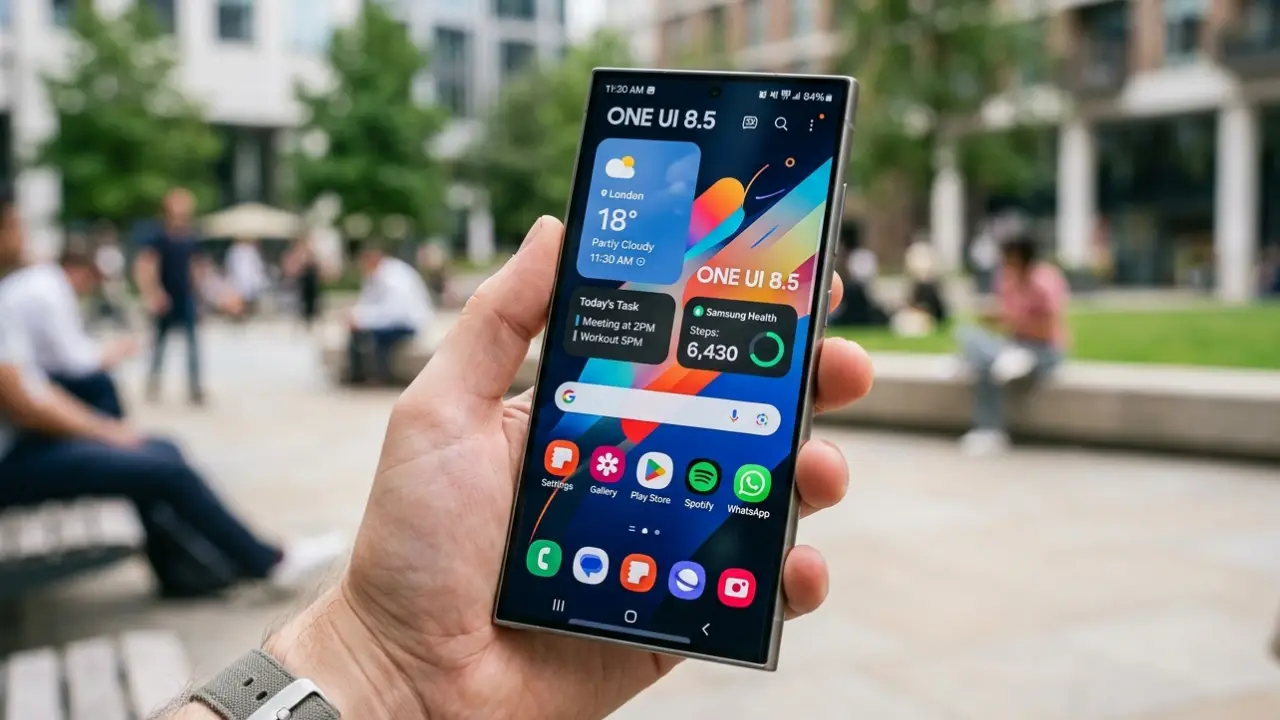
Samsung launched the stable One UI 8.5 rollout for the Galaxy S24 Ultra in South Korea and is now slowly rolling it out to additional regions. The update brings a refreshed design and several useful improvements to Samsung’s former flagship phone.
This is more than a regular software update. One UI 8.5 adds many of Samsung’s latest features to a phone that’s still very popular in 2026.
For Galaxy S24 Ultra users, the big question is simple: Does this update give the full experience, or are some features still only for newer Galaxy phones? The update brings most One UI 8.5 changes to the Galaxy S24 Ultra, though a few camera features are still missing.
Here is everything that changed and what did not make the cut.
Galaxy S24 Ultra Gets Most One UI 8.5 Features
Major One UI updates often make Galaxy users wonder if older flagship phones will get all the new features. In some cases, Samsung keeps a few features only for newer models while older devices get fewer changes.
The Galaxy S24 Ultra avoids most of that. The update brings most of the key One UI 8.5 improvements to the device. Users get the main interface changes, visual updates, and customization options, keeping the phone close to Samsung’s newer Galaxy models.
For people who plan to keep the Galaxy S24 Ultra through 2026, this update matters because it helps the phone stay modern and up to date.
Galaxy S24 Ultra One UI 8.5 Feature Overview
Included Features
- Expanded Quick Panel customization.
- Redesigned the Gallery interface with a floating menu design.
- System-wide interface updates.
- Broader personalization options.
- Most headline One UI 8.5 improvements.
Quick Panel Customization Is the Biggest Daily Upgrade
The Quick Panel redesign is one of the most noticeable changes in One UI 8.5. Samsung made the panel easier to customize. Users now get more control over the layout and shortcuts they use every day.
New Quick Panel Features
- Enter edit mode directly from the Quick Panel.
- Resize supported elements.
- Rearrange controls based on usage habits.
- Remove shortcuts that are no longer useful.
- Use a cleaner layout built around your most‑used actions.
The redesign keeps things organized and makes common actions easier to use. For people who switch WiFi, Bluetooth, Smart View, or device controls throughout the day, this update brings immediate value. The interface becomes easier to arrange around your personal preferences.
Gallery App Gets a Cleaner Interface
Samsung also refreshed the Gallery app. The app now includes a floating bottom menu paired with a blur effect. The new design looks cleaner while keeping navigation familiar.
What Stayed the Same
- Albums stay organized the way they were before.
- Editing tools stay in familiar locations.
- Search and Stories continue working normally.
- Photo management workflow remains unchanged.
The update makes the interface look newer without changing how it works. Users who browse photos, manage albums, or do quick edits will probably notice the new look first.
Camera Features: A Few Additions Remain Missing
While most One UI 8.5 changes arrive on the Galaxy S24 Ultra, the camera experience does not receive every addition available on newer Galaxy devices.
Three features remain unavailable:
- No 24MP shooting support.
- No horizontal lock feature.
- No APV codec support.
APV codec support is still missing, and it seems to be limited by the Galaxy S24 Ultra’s hardware. The camera still works the same as before.
People who use advanced video setups or newer recording formats are more likely to notice this gap than casual photographers.
Samsung started rolling out the update in South Korea and is slowly bringing it to more regions. The exact timing depends on your region and carrier, so if the update hasn’t appeared yet, it’s likely just that availability varies by market.
Should You Install One UI 8.5 on Galaxy S24 Ultra?
Yes. Go ahead and install it. The Quick Panel update alone makes it worth it. Once you set it up your way, the old layout will feel messy. The Gallery app looks much cleaner now. The missing camera features are a hardware issue, not something Samsung took away. You are not losing anything by updating.
Samsung did a good job supporting this phone, even though it is not their newest model. That is good news for anyone keeping the S24 Ultra in 2026.
Final Thoughts
Samsung kept the Galaxy S24 Ultra up to date with One UI 8.5. The phone gets the full update, not a cut-down version. The Quick Panel works better, the Gallery looks better, and the whole phone feels cleaner and smoother to use.
Go ahead and install the update. You will feel the difference on your first day of using it.