
Google has given its live conversational AI a visual presence. Gemini 3.8 Live with Live Avatar combines near real time video with speech, allowing an on screen avatar to listen, see, and respond with synchronized lip movements and facial expressions.
Google announced Live Avatar on September 24, 2026. It is generally available through Gemini Enterprise, where businesses can build experiences for customer service, interactive walkthroughs, and other enterprise workflows.
Developers can use the Gemini Live API to build Live Avatar experiences for web, mobile, and interactive kiosks.
The launch follows Google’s September 15 introduction of Gemini 3.8 Live. The model can hold a live conversation, understand what it sees, talk in many languages, and run tasks in the background at the same time.
What is Google Gemini 3.8 Live Avatar?
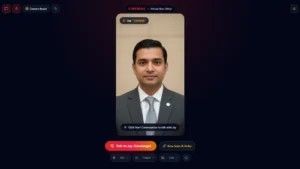
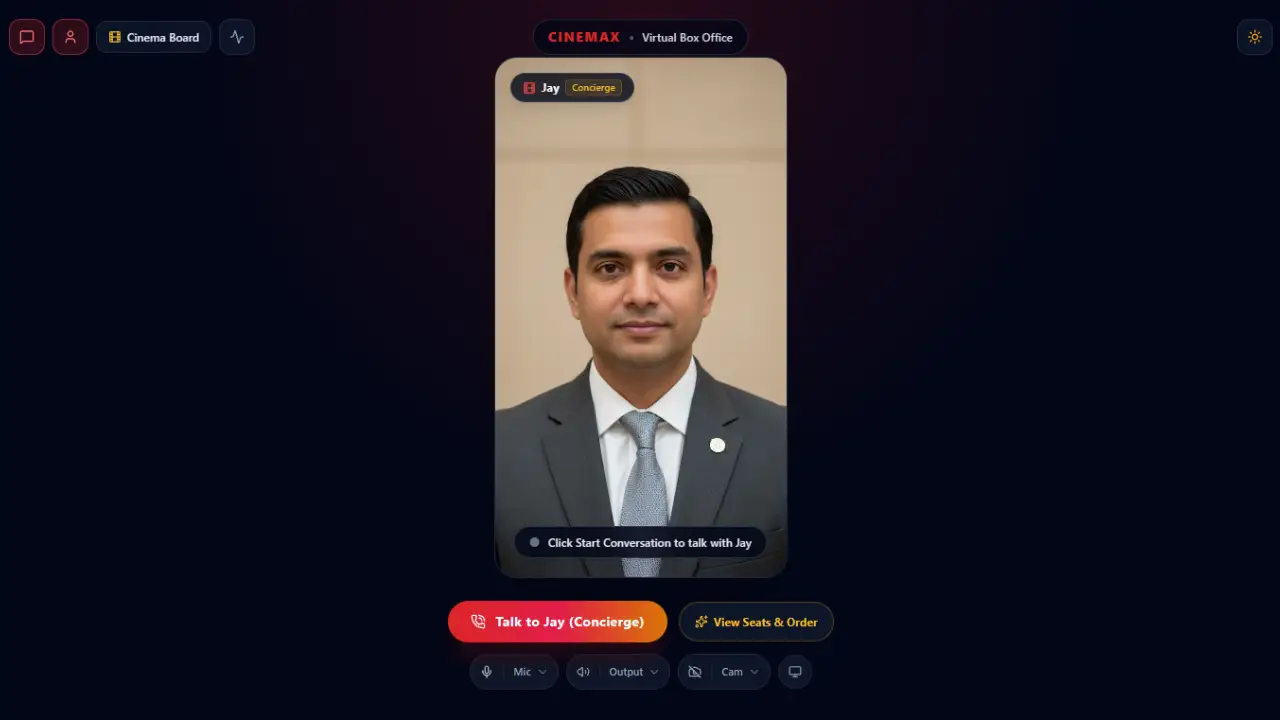
Gemini 3.8 Live Avatar adds an animated digital character to Gemini’s live dialogue system. Instead of receiving only a voice response, users see an avatar respond during the conversation. Google says Live Avatar processes audio and visual inputs together and generates expressive audio and video in near real time.
The main capabilities include:
- Real time voice conversation
- Near real time avatar video
- Audio and visual input processing
- Synchronized lip movements and facial expressions
- Background tool execution
- Support for 97 languages
- Preset and custom avatar options
- SynthID watermarking for generated audio and video
How does Gemini Live Avatar work?
The experience starts with a live conversation. Gemini processes what the user says and the visual information available to it, then responds through speech and an animated avatar.
One standout feature is asynchronous tool execution. The AI agent can call up tools and pull information in the background, all while keeping the conversation going without a pause. Google shows this off with a hotel check-in example. The avatar stays right there on screen, talking and present, while it quietly handles the task out of sight.
Gemini 3.8 Live also supports background tool and API calls during live conversations. The model can also make tool and API calls in the background while a conversation is still going on.
What are the main Gemini 3.8 Live Avatar features?
Real-time visual conversations
Live Avatar combines spoken dialogue with generated video. Google says the avatar supports precise lip syncing, natural expressions, and fluid turn taking. This gives enterprise agents a visible interface during a live conversation instead of relying on voice alone.
Support for 97 languages
Gemini 3.8 Live with Live Avatar works across 97 different languages. Google says the system dynamically adapts lip syncing and facial expressions when users switch languages. It is designed to maintain video fidelity during those language changes.
For businesses serving customers across different regions, this provides broader language coverage within one conversational system.
Background tool calls
Live Avatar supports asynchronous tool calling. An agent can retrieve information or trigger connected services while continuing to communicate with the user.
Google’s hotel check-in demonstration shows how this works in a multi step workflow.
Preset and custom avatars
Organizations can pick from a built-in library of preset avatars. Google also lets businesses create a custom avatar starting from a single high quality reference image.
Google says custom avatars can preserve the reference likeness, brand styling, or character identity. Custom avatar creation currently requires enterprise allowlisting.
Testing Gemini 3.8 Live Avatar: First impressions
I tested Gemini 3.8 Live Avatar to understand how the experience feels in a real conversation rather than just looking at its announced capabilities.
The concept is impressive. Having an AI assistant with a visual presence makes the interaction feel more natural compared with traditional text-based chatbots or voice-only assistants. The combination of speech, facial expressions, and a responsive avatar shows the potential for more engaging AI experiences.
However, during testing, I noticed some areas that still need improvement before the technology feels ready for actual business use. The main issues were response delays, incomplete sentences during conversations, and occasional difficulty getting the conversation started smoothly.
These challenges are especially important for real-time AI systems because users expect conversations to feel immediate and natural. Even small interruptions can affect the feeling of having a continuous dialogue.
Since Live Avatar is still an emerging technology, these early performance issues are understandable. Improving response speed, stability, and conversational reliability will be key steps toward making it suitable for business-critical applications.
Where could Gemini Live Avatar be used?
Google positions Live Avatar for enterprise applications. Customer service is one documented use case. Businesses could use a visual AI agent to guide customers through support interactions while connected tools pull up the relevant details in real time.
Google also highlights interactive walkthroughs. Its hotel check-in demonstration shows how an agent can maintain a conversation while completing a task through background tools.
Gemini 3.8 Live itself has broader applications. Google’s September 15 announcement includes employee onboarding and other workflows using visual context and background tool execution.
Those examples relate to Gemini 3.8 Live more broadly and should not automatically be described as Live Avatar deployments.
Potential enterprise applications include:
- Customer support
- Hotel assistance
- Interactive guidance
- Employee onboarding
- Digital service workflows
- Other voice based enterprise applications
These examples reflect Google’s documented demonstrations and broader enterprise capabilities. They do not mean every use case is already widely deployed.
Is Gemini 3.8 Live Avatar available to everyone?
Gemini 3.8 Live with Live Avatar is now available through Gemini Enterprise, and developers can also use the Gemini Live API to build their own Live Avatar experiences.
Google Cloud lists US and EU endpoints for Gemini 3.8 Live, along with provisioned throughput and enterprise security and data governance controls.
This is separate from the broader Gemini 3.8 Live rollout. Google introduced Gemini 3.8 Live for developers through the Gemini API and Google AI Studio, as well as for users across Search, Google Workspace, and the Gemini app. So Gemini 3.8 Live and Gemini 3.8 Live with Live Avatar should not be treated as having identical availability.
How does Google address AI avatar safety?
Google says Live Avatar output includes an imperceptible SynthID watermark in generated audio and video. The company says the watermark helps keep AI generated content detectable and helps reduce risks involving misinformation and misattribution.
Custom avatar creation also has additional controls. Google currently restricts custom avatar creation through enterprise allowlisting. These safeguards add transparency around AI generated digital characters.
How Is Gemini 3.8 Live Avatar Different?
What makes it different is simple. It talks, sees, shows a face, and works in the background, all at once.
A regular chatbot sticks to text. A voice assistant adds speech. Live Avatar goes further, pairing an animated face with audio, visual input, and connected tools.
The avatar is just the face, though. Underneath, Gemini 3.8 Live does the real work: driving the conversation, reading context, handling languages, and calling tools.
For businesses, that means someone can be mid-conversation while the agent handles the task out of sight.
Wrap Up
Gemini 3.8 Live Avatar represents another step toward making conversational AI feel more interactive by adding a visual presence to voice-based conversations. The combination of live dialogue, visual interaction, multilingual support, and connected tools creates new possibilities for businesses building customer-facing AI experiences.
However, the transition from an impressive demonstration to a reliable production system will depend on solving practical challenges. In my hands-on testing, I noticed areas such as response delays, incomplete responses, and occasional conversation startup issues that still need refinement.
These early limitations do not change the potential of the technology, but they highlight the importance of improving speed, stability, and natural conversation flow. As Google continues developing Live Avatar and expanding access through Gemini Enterprise and APIs, future improvements will determine how effectively businesses can adopt these AI-powered experiences at scale.
The future of AI assistants may not be limited to text boxes or voice interfaces. A combination of conversation, visual presence, and intelligent task execution could become a new way for people to interact with digital services.