
Meta just gave its Edits app a big upgrade. Creators can now edit videos, spot trends, and track performance all in one place. No more switching between apps. Here is everything that is new.
Open Instagram right now and start scrolling. Within a minute, you will see reels that look almost too good. Clean cuts, synced music, smooth visuals from start to finish. What you will not see is the work behind them.
Most creators are bouncing between three or four apps just to make one video. Editing here. Checking numbers there. Figuring out the next idea somewhere else entirely. It is messy, it is slow, and it eats up time that should go toward actually creating. Meta wants to change that.
On June 11, 2026, Meta gathered creators in Los Angeles for a private event and announced some of the biggest updates yet to Edits, its Instagram video editing app.
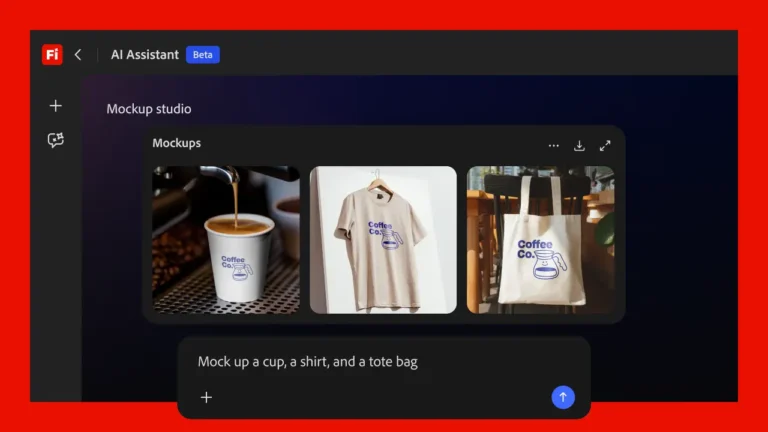
An AI assistant is being added to the app, and a desktop version is on the way, too. A Beta tab and better audience insights are already available. All of these updates are meant to help creators do everything in one place.
Why Meta Is Doing This Now
Meta did not build Edits just to have a video editor. There was a specific problem behind it. By early 2025, CapCut had become one of the most widely used editing apps among Instagram creators. CapCut is owned by ByteDance, the same company behind TikTok.
Meta was getting all the posts and all the views, while ByteDance was slowly becoming a daily habit for millions of people.
That is a bigger deal than it looks. Creators do not just use tools casually. They build routines around them. They get attached. They tell other people to use the same thing. Meta had the audience but not the trust that comes from being part of someone’s daily process.
Edits were Meta’s move to fix that. But the first version had real limitations:
- No desktop editing support, unlike CapCut
- No AI-powered content assistance
- Not enough reason for professional creators to switch
- The June 2026 updates are designed to address many of those limitations.
How the Meta Edits AI Assistant Works
Most AI content tools pull from platform-wide trends. The result is the same advice for every creator, whether you have 20,000 followers or 800,000. Generic trending tips help no one specifically. The Edits AI assistant takes a different approach. It will analyze Instagram performance data such as:
- How long viewers watch before leaving
- Which posts drove actual follower growth
- What content formats hold attention for your specific audience
- Audio and style patterns that work in your niche
It uses all of that to suggest content ideas that actually fit your account, not just what is trending for everyone else. Here is what that change looks like in your daily workflow:
- Brainstorming and analytics happen inside the same app
- No switching to external AI tools mid-session
- Trend discovery happens in context while you are already editing
Meta also launched a similar assistant for Facebook creators just one week before this announcement. That timing is a signal. This is a platform-wide strategy, not a one-off feature test. The assistant is currently in limited testing with LA event attendees. No public launch date confirmed yet.
Desktop Editing: The Gap CapCut Held for Too Long
For serious creators, this is probably the more important announcement. Mobile editing has real limits. Quick cuts work fine on a phone. Once you are managing multiple clips, layered audio, or anything needing precise frame-level control, a small screen actively works against you.
CapCut had desktop editing long before Edits did. That one thing was enough to keep a lot of professional creators from fully switching over. The gap was obvious, and Meta took too long to close it.
Now it is finally happening. Edits is getting a desktop version. Your projects will sync between your phone and computer automatically, so you can rough cut on mobile and finish the detailed work on your laptop without moving any files around.
What this opens up:
- Larger timeline view for multi-clip and longer projects
- Mouse precision for audio edits and cut adjustments
- Better project organization for high-volume creators
- No more choosing between convenience and editing quality
For casual creators posting a few times a week, this may not change much. For anyone producing content at volume or working with a small team, it removes the last real argument for keeping a second editing app. Release is listed as coming soon. No specific date from Meta yet.
Four Features Live Right Now
These are available to all users today, no waiting required.
Beta Tab: Early access to experimental features before public release. Creators test, Meta collects real feedback, and features that prove useful get a wider rollout. It puts creators earlier in the product development loop.
Expanded Audience Insights: The app now shows demographic breakdowns of your viewers and, more usefully, what times of day your audience is most active. Knowing your followers watch most at 7 pm on weekdays changes how you think about scheduling. This data previously required a separate analytics tool.
Searchable Inspiration Feed: Type in a theme or trend and see how other creators are actually approaching it, including reels and templates. Useful for understanding format execution before committing filming time to an idea.
Multiple Content Versions: Build two or three versions of the same post and compare performance before publishing the better one. A/B testing has been standard in paid advertising for years. Bringing it to organic content gives data-focused creators a real edge.
The Stats Meta Shared
Meta did not release a total user count for Edits but shared three figures:
- Content made with Edits earns a 10 percent higher save rate
- Reshare rates are 2 percent higher for Edits-created videos
- More than half of Instagram reel viewers see Edits-made content daily
Read these carefully. These are Meta’s own self-reported numbers and have not been verified by any independent source. Higher save and reshare rates do not automatically prove the app produces better content. Creators who adopt new tools early tend to be more quality-focused in general.
Instagram’s algorithm may also distribute Edits content differently, though Meta has not confirmed this. The adoption figure is the harder one to argue with. The majority of daily reel viewers are already watching Edits’ content, which shows the app is clearly gaining ground.
Final Thoughts
Meta is building Edits into something beyond a mobile video editor. The desktop version closes a practical gap that was genuinely limiting for professional creators. The AI assistant, if the personalization holds up in real use and not just in demos, could replace several tools in a creator’s daily workflow.
The features live today make the app more useful right now, without waiting for either of the headline announcements. Whether Edits becomes a primary creative workspace depends on how well the desktop performs and how specific the AI suggestions feel in actual use. The direction is right. The proof comes when creators start using it for real.
Edits is free on iOS and Android. If you last tried it in 2025, the app has changed considerably.