


ChatGPT is changing how we talk with AI. You no longer get only text back. Now you can get diagrams, interactive charts, calculators, and other visual tools in the same conversation.
OpenAI rolled out Intelligent UI on October 7, 2026, with GPT-6 in ChatGPT. It makes life a bit simpler. You can pick up a new skill, try out a thought, or finish a daily chore, all in the same place.
Whether you study, work, care for a family, or travel, this feature opens up fresh ways to learn and plan. Let’s walk through how ChatGPT Intelligent UI works, what it offers, and how to give it a try.
What Is ChatGPT Intelligent UI?
ChatGPT Intelligent UI brings together written answers and interactive visuals. ChatGPT picks the right format for each request, so you don’t get plain text every time.
According to OpenAI’s official announcement, responses might include:
- Diagrams and graphics that explain complex topics.
- Interactive charts and visual comparisons.
- Tappable buttons and forms.
- Calculators and bill splitters.
- Interactive experiences, including games.
Picture a student stuck on how bicycle gears work. A diagram they can play with makes it click. Or think of someone planning retirement, who can try a calculator and compare a few savings amounts side by side.
ChatGPT still provides plain text when a visual response would not add value.
How Does the ChatGPT Visual Interface Work?
With GPT-6, the answer fits your request. A comparison can sit side by side, while a technical topic can come with a diagram you can interact with. It all loads gradually as ChatGPT works, which means you can start reading before the full answer is finished.
This approach makes the conversation more interactive. Instead of asking for repeated calculations, users might adjust inputs directly in a suitable tool.
What Can You Do With an Intelligent UI?
1. Learn through interactive diagrams
Technical subjects often become easier to understand when users see how different parts work together.
OpenAI’s demo featured a seven-speed bicycle. Users can explore its parts and watch how the gears relate to one another.
Similar visuals can help you study how machines work and learn scientific ideas in a new way. In academic work, confirm the key details with reliable educational sources before you rely on them.
2. Calculate expenses and compare options
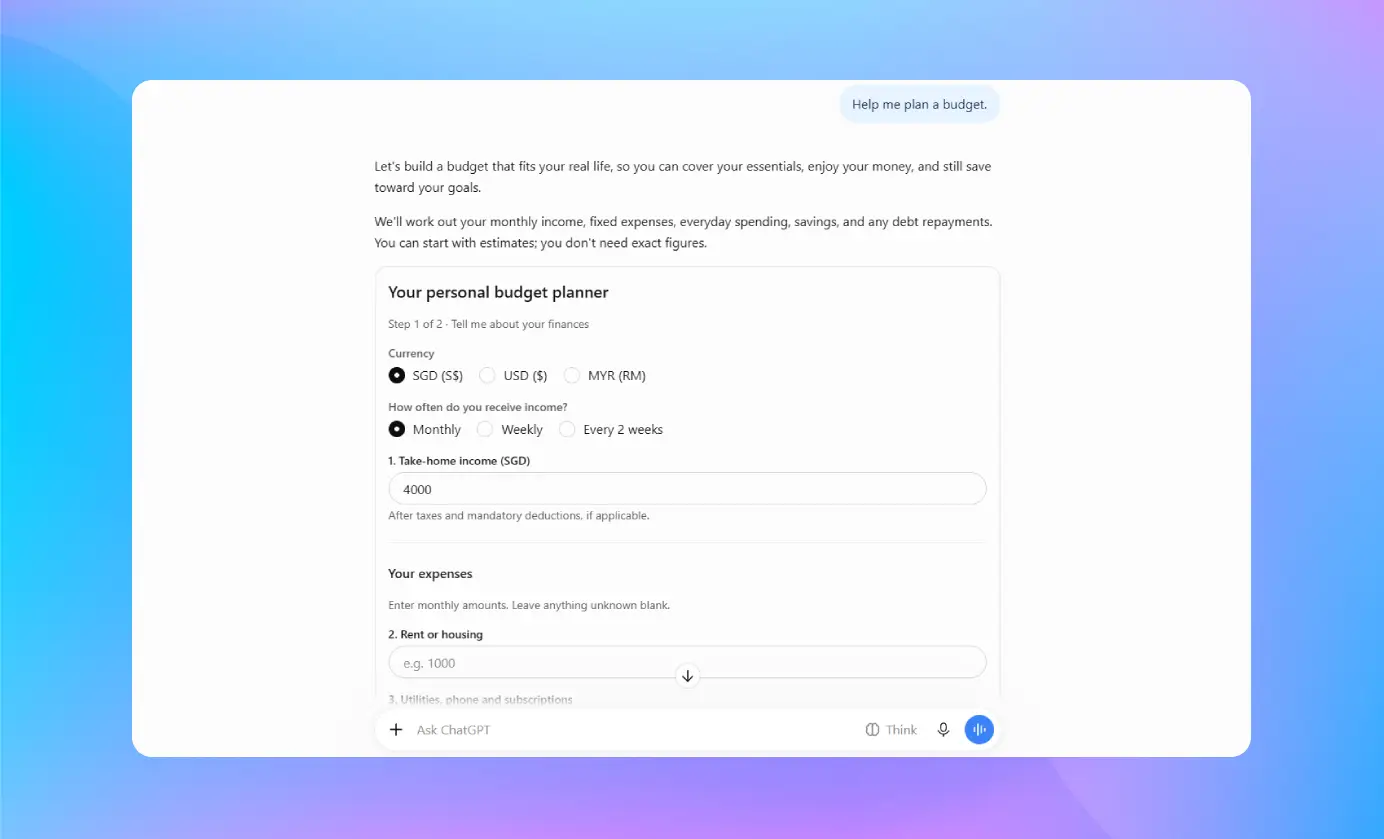
OpenAI also shared a retirement savings calculator and a bill splitter in its demo.
A savings calculator lets you test how different contributions change your projected savings. A bill splitter makes it easy for a group to figure out each person’s share after a meal. These tools cut down on doing the math over and over. Before you act on any financial decision, check the inputs and assumptions.
3. Plan recipes and trips visually
Two more examples OpenAI shares are visual recipe planning and road trip maps.
A recipe layout can help you keep track of ingredients and cooking steps, and in the same way, a map can bring your destinations and suggested stops into a single view.
They help you stay organized, but it’s still a good idea to look up current road conditions, opening hours, weather, and local safety guidance.
Who Can Access ChatGPT Intelligent UI?
On October 7, 2026, OpenAI began releasing the feature around the world to ChatGPT Plus, Pro, Business, and Enterprise users. Access grew to include Free and Go users on October 8.
The available models differ by plan:
- GPT-6 Sol: For Plus, Pro, Business, and Enterprise.
- GPT-6 Luna: For Free and Go.
Intelligent UI works with supported GPT-6 settings from Instant through Extra High reasoning. The GPT-6 Pro reasoning option, powered by GPT-6 Astra, does not support the feature. Access also depends on workspace permissions and supported apps. Check the official Intelligent UI help page for current details.
How Can You Try Intelligent UI?
Start with something that would be clearer with a picture or a tool you can click through. Here are some prompts to try:
- Make an interactive diagram that explains how a seven-speed bicycle works.
- Make a retirement savings calculator that lets me change my monthly contributions.
- Work with me on a road trip plan, and drop the stops onto a map.
ChatGPT makes the final choice on format, so a prompt can’t lock in a specific visual result.
If you prefer fewer visuals, open ChatGPT on the web, go to Settings, and turn off Layout and visuals. Some visual elements might still appear. Older ChatGPT desktop apps for macOS and Windows do not support these capabilities. Use the web version or a supported, updated app.
Why Does Intelligent UI Matter?
The benefit changes from task to task. Sometimes a diagram makes a technical topic easier to grasp than text does, and sometimes an interactive calculator helps you weigh different scenarios side by side.
Here are some practical ways to use it:
- Students can see difficult topics laid out visually.
- For professionals, it’s a way to review choices and present information clearly.
- Families can work out shared expenses.
- Travelers can look over routes and organize their stops.
The main perk is getting to explore information inside the conversation itself. That said, a clean, professional-looking visual can still be wrong. Check any important claims, figures, and recommendations before you trust them.
How Is Intelligent UI Different From a Traditional Chatbot?
Traditional chatbots mainly provide text. Users often need another application to turn an explanation into a calculation or visual plan. Intelligent UI brings some of these interactions into ChatGPT.
| Task | Traditional response | Intelligent UI |
|---|---|---|
| Learning a concept | Written explanation | Interactive diagram |
| Comparing options | Text or bullet points | Visual comparison |
| Splitting a bill | Written calculation | Interactive bill splitter |
| Planning a trip | Text itinerary | Map with suggested stops |
These formats offer another way to work with information. They do not guarantee better results for every task.
What Are the Limitations of ChatGPT Intelligent UI?
Intelligent UI has three main limits.
- First, you won’t see visuals in every answer. ChatGPT picks a format based on your request and the model settings it supports.
- Second, errors can slip into diagrams and calculators. Check anything important, especially if it could affect your money, health, education, or safety.
- Third, availability depends on the plan, model settings, workspace permissions, and supported app. Not every account will necessarily have the same experience.
Final Thought
ChatGPT Intelligent UI gives users another way to learn, plan, and solve everyday problems. Its strongest uses involve tasks where a diagram, calculator, or map makes information easier to understand.
OpenAI’s update allows ChatGPT to adapt its answers to different needs. Try it with a practical task and see whether the interactive format helps you. Always verify important details before acting on AI-generated information.