
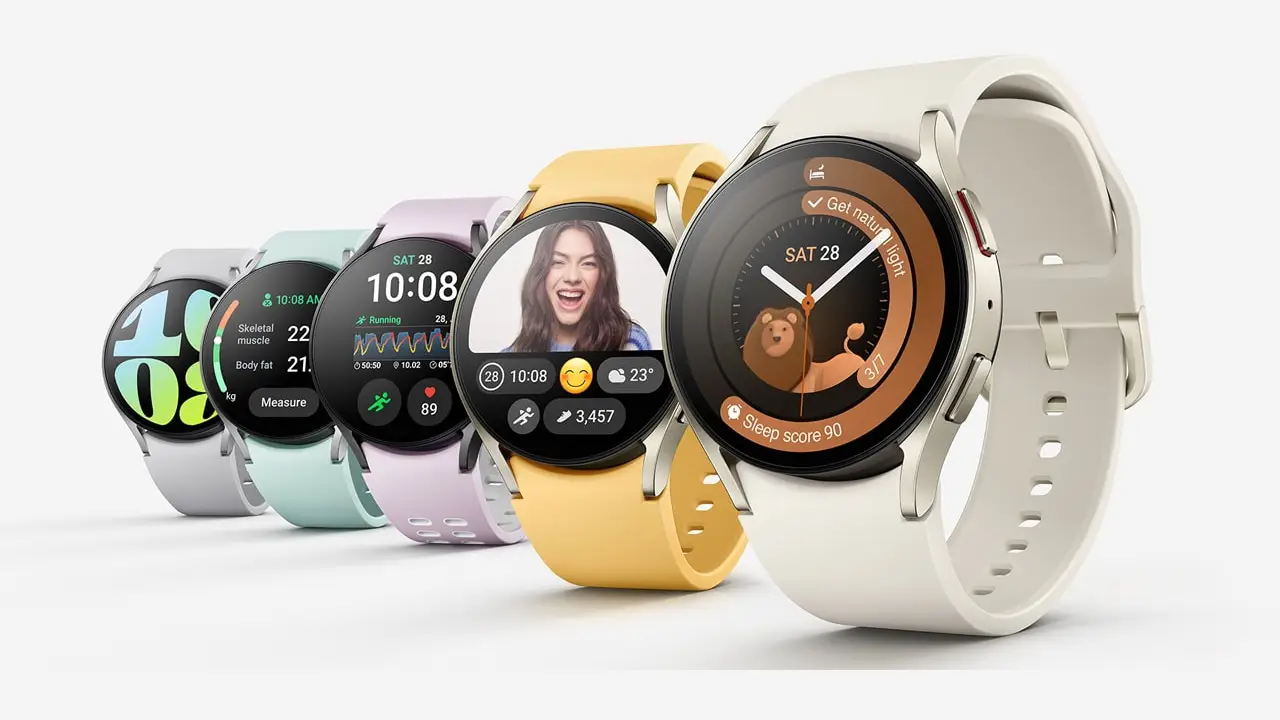
Samsung has officially kicked off the rollout of Wear OS 6 along with its upgraded UI 8 Watch experience for the Galaxy Watch 6 and Galaxy Watch 6 Classic. The update first landed in South Korea, and early user reports show that more regions should begin receiving it shortly.
For many Watch 6 owners, this marks the long-awaited refresh after months of guessing when Samsung would push its next major software upgrade.
What Does the UI 8 Watch Update Really Bring?
Let’s break it down. UI 8 Watch isn’t just a coat of paint. The update brings a series of subtle but genuinely useful tweaks that make the whole interface feel sharper, quicker to respond, and easier to move through.
- A stacked tiles layout that reduces endless swiping.
- Updated icons and softer transitions that make everything feel more polished.
- A refined launcher experience that reduces the usual shuffle of looking for apps.
- Improved health and activity tools that surface insights faster.
- Every part of the UI reacts with a cleaner, faster touch.
While the visible changes matter, the bigger story is the system-level upgrade in Wear OS 6. It sets up the Galaxy Watch 6 series for stronger long-term performance and better support for future features.
How to Install the Update Using the Galaxy Wearable App?
If you’re using a Galaxy Watch 6 or Galaxy Watch 6 Classic, the update arrives through the Galaxy Wearable app. It only takes a minute to check:
- Open the Galaxy Wearable app on your paired phone.
- Head to Watch software update.
- Tap Download and Install.
- Keep your phone connected and your watch charged during the process.
Since Samsung releases updates in phases, it’s completely normal if the update hasn’t shown up yet in your region. A little patience usually does the trick.
Why Wear OS 6 Feels Like a Big Deal for the Galaxy Watch 6?
What this really means is your watch is simply nicer to use. Maybe not in loud ways, but in the small moments that add up throughout your day.
- You can swipe through workout tiles with far less input delay.
- UI 8 Watch balances visual polish with practical layout shifts.
- Wear OS 6 handles background tasks more efficiently.
- Health features feel more consistent thanks to better system stability.
It’s these quiet improvements that make the Galaxy Watch 6 lineup feel fresher and more capable.
Where Things Stand for Galaxy Watch 5 Users?
A lot of users are curious about the Galaxy Watch 5. Right now, Samsung hasn’t released the stable Wear OS 6 update for that model. It’s still expected later, but there’s no confirmed rollout schedule yet. Until Samsung gives a date, Watch 5 owners will need to wait a bit longer.
A Few Things to Keep in Mind Before Updating
To help everything go smoothly, here are a few helpful steps:
- Make sure the Galaxy Wearable app is fully updated.
- Keep your watch at a safe battery level before installing.
- Back up your watch data if you want extra peace of mind.
- Expect the update size to vary slightly depending on region.
These small checks ensure you don’t run into surprises during installation.
Final Thoughts
Samsung’s decision to pair Wear OS 6 with the refreshed UI 8 Watch makes the Galaxy Watch 6 series feel genuinely upgraded. It’s not just about new visuals. It’s about making the watch easier, faster, and more enjoyable in everyday use.
If you’re using a Galaxy Watch 6 or Galaxy Watch 6 Classic, open the Galaxy Wearable app and see if the update has arrived for you. And if it hasn’t hit your region yet, no worries. Samsung is rolling it out in stages, and yours should be coming up soon.