


Millions of developers use Codex every single week. Until now, every one of them had to be at a desk to stay in control of it. That changes today.
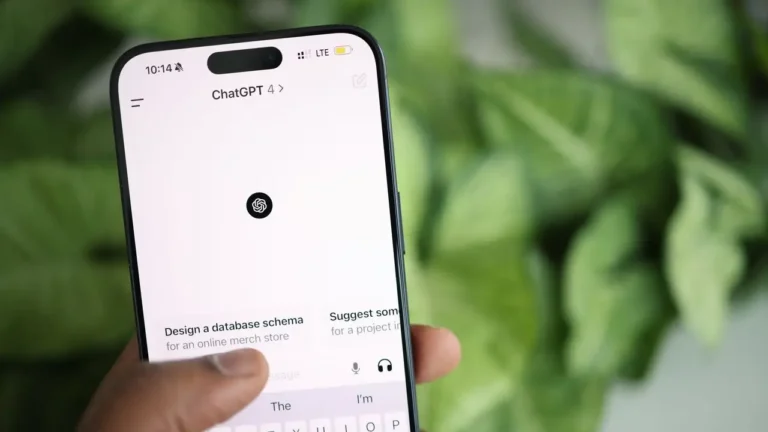
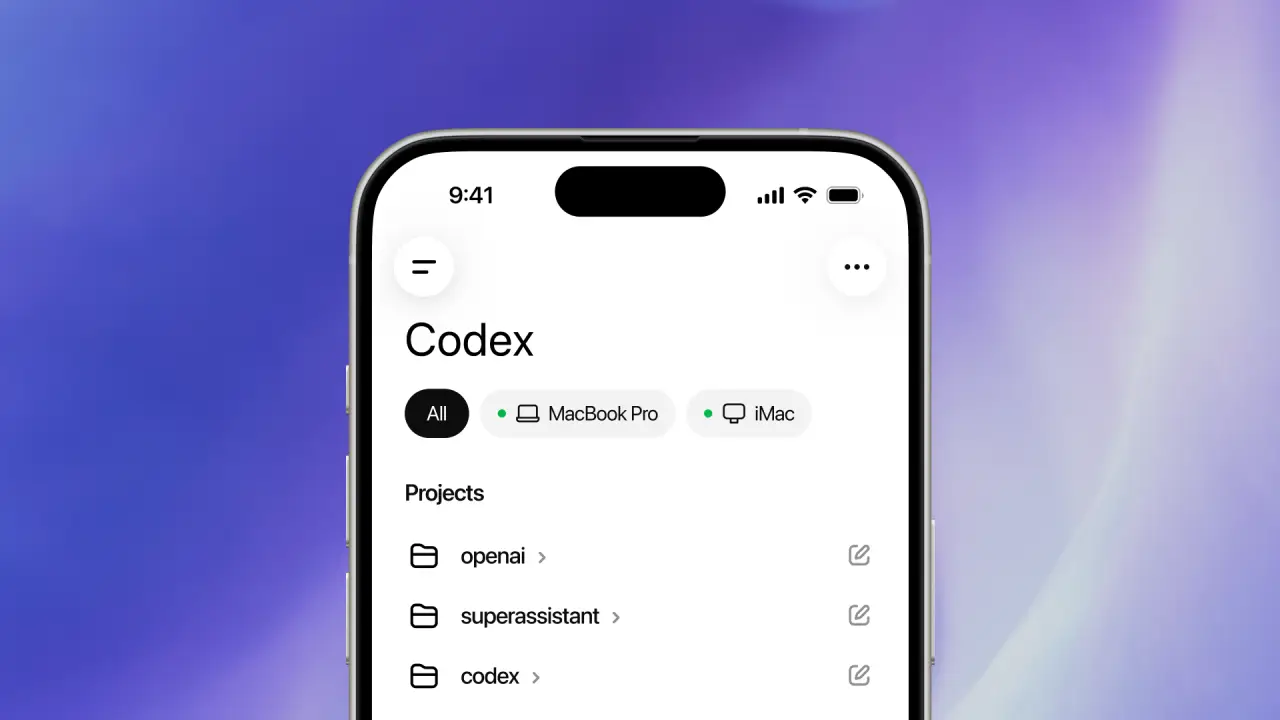
OpenAI just added Codex to the ChatGPT app on iPhone and Android. Developers can now monitor tasks, approve commands, switch models, and start new work directly from their phones.
All of it, without reopening a laptop. What makes this update different from a typical feature release is where it fits in a developer’s actual day. Long-running AI coding sessions no longer have to pause every time you step away from your workstation.
Your projects stay on track because you stay in control, no matter where you are. The rollout is in preview now and open to all ChatGPT plans, including Free and Go. And the more you think about what that means for daily development workflows, the more practical it becomes.
What OpenAI Changed With Codex Mobile Access
Back in February 2026, OpenAI launched the Codex desktop app on macOS, with Windows support arriving in March. The company has steadily expanded its capabilities since, adding background execution support, browser integrations, and autonomous task handling.
Mobile connectivity through the ChatGPT app is the latest addition to that list. According to OpenAI, developers can now:
- Start coding tasks remotely.
- Review generated outputs.
- Approve or reject commands.
- Monitor active coding sessions.
- Switch between AI models.
- Manage multiple coding threads from mobile.
Your phone does not replace your computer. It gives you a way to control what is happening on your computer without being there. Files, repositories, and credentials stay on your machine. The ChatGPT app simply shows you what Codex is working on and lets you guide it from wherever you are.
The goal is not to replace desktop development with mobile coding. Developers are extending visibility and control beyond a single workstation.
Mobile Support and Availability
OpenAI says the mobile feature is rolling out in preview on iOS and Android across all ChatGPT plans in supported regions, including Free and Go users.
To use the feature, developers need:
- The updated ChatGPT mobile app.
- The updated Codex desktop app.
For now, remote phone access works only with Codex running on macOS. Windows support for mobile connectivity is expected soon. The desktop app itself already supports both macOS and Windows. The newer addition here is the mobile connection layer that links phones to active Codex sessions.
How the Remote Connection Works
The phone does not store the complete development environment. Codex continues running on the connected machine while the ChatGPT app syncs approvals, outputs, and live task activity remotely.
This structure helps preserve:
- Existing repository access.
- Development permissions.
- Local credentials.
- Environment-specific configurations.
The setup keeps the experience closer to remote supervision rather than full mobile software development. That fits naturally into workflows where teams already rely on remote infrastructure, cloud machines, and distributed systems every day.
Why This Matters for Developers
Coding tools used to help you write faster. Codex is built to keep working even when you stop. You give it a task. It runs in the background. You check back when it needs input or when the job is done. No laptop required, just a quick look at your phone.
This is a real shift in how developers spend their day. Someone in back-to-back meetings can approve a fix without stepping out once. A freelancer handling three clients can keep all three projects moving at once. A team spread across time zones does not have to wait for someone to get back to their desk.
The work just keeps going. More than 4 million developers use Codex every week, and mobile access is exactly what a tool built to run on its own has always needed.
The Competition Around AI Coding Agents
OpenAI is not alone here. In February, Anthropic released a feature called Remote Control for Claude Code that lets developers monitor coding tasks from their phones. Now OpenAI is doing the exact same thing with Codex.
That tells you where the industry is heading. AI coding tools do a lot more than speed up how you write code these days. They are turning into always-running assistants that developers can manage from anywhere.
Both OpenAI and Anthropic are racing to own the AI coding agent market, pushing deeper into enterprise software development workflows as competition between the two companies continues to grow.
What This Looks Like in Practice
Think about this. You start a code fixing task and then head out for lunch. A little later, Codex pauses and asks for approval on the next step. Instead of heading back to your desk, you pull out your phone, review the output, approve it, and walk away knowing Codex is still on it.
By the time you get back to your desk, the work is already several steps ahead. Tasks continue running instead of sitting idle, waiting for someone to return to their computer.
Final Thoughts
OpenAI’s Codex mobile rollout feels practical instead of experimental. The company is not trying to replace desktop development with smartphone coding. It is building a remote management layer for AI-assisted software workflows that fits naturally into how engineering teams already operate.
If you are already using Codex, the mobile feature is available now in preview on iOS and Android across all plans, including Free and Go. Getting started is simple. Just update the ChatGPT mobile app and the Codex desktop app to enable mobile access.
Download the updated ChatGPT mobile app on Android and iPhone to use Codex on mobile.