



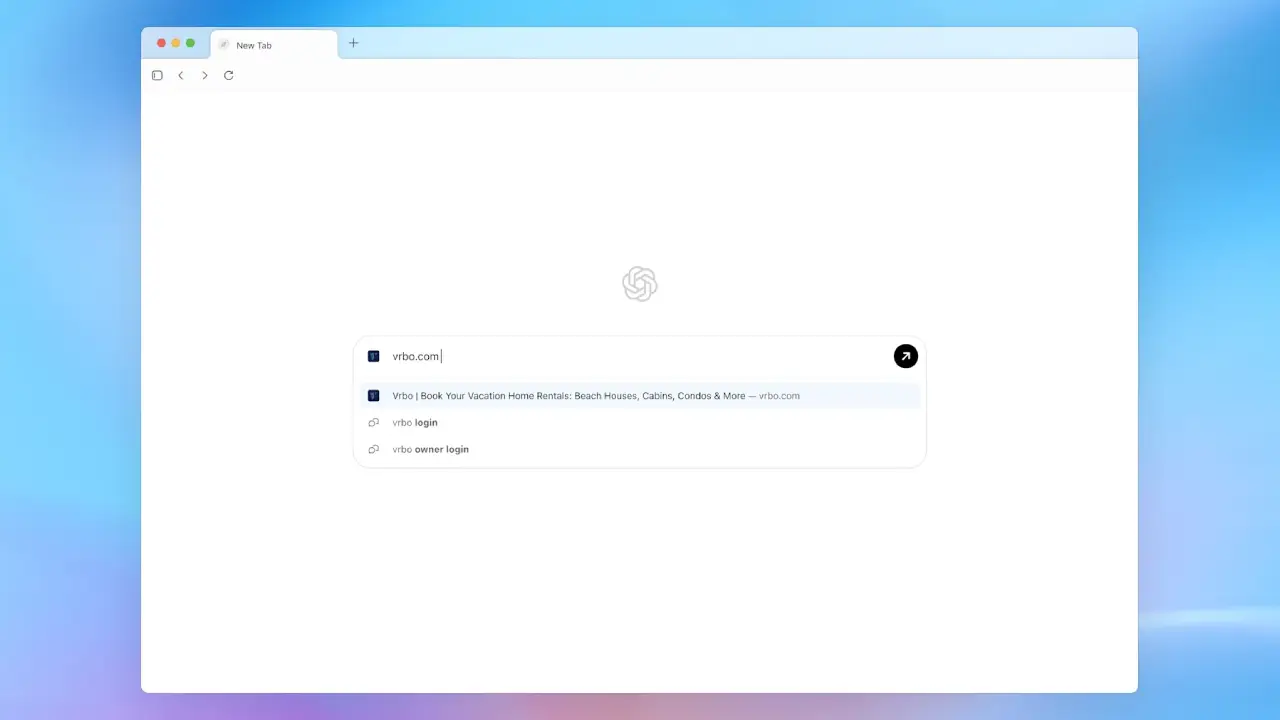
OpenAI has officially stepped into Google’s territory. With the ChatGPT Atlas browser, the company behind the world’s most talked-about AI tool is transforming what it means to “search the web”.
This is not just another browsing app for MacOS; it is a bold attempt to merge intelligence, context, and convenience into one AI-powered web browser that understands what you actually want to do, not just what you type. Let’s break it down.
A New Kind of Browser Enters the Scene
The OpenAI Atlas browser is now available for MacOS users, marking OpenAI’s first major move into web browsing. At first glance, it might resemble Chrome or Microsoft Edge, but the experience feels completely different.
There is no traditional address bar. Instead, you simply ask ChatGPT what you want, such as “book a flight to Paris”, “find an Etsy shop selling handmade mugs”, or “edit a document online”. The browser listens, understands, and acts. This is what OpenAI calls a personalized web experience.
Here is the thing. Instead of typing URLs or searching manually, you interact with the web conversationally. It is designed for people who want results fast, not just links.
What Makes ChatGPT Atlas Browser Different?
Atlas stands out from Google Chrome or other browsers in several ways:
Ask ChatGPT: Users can get answers directly on any page, including summaries, comparisons, and explanations.
Clean Interface: The browser hides the address bar to help you concentrate on your goals.
Task Automation: It helps you complete tasks online, such as filling forms, shopping, or organizing trips.
Partner Integration: The browser links Shopify, Etsy, and Expedia, so you can shop and plan trips all in one place.
This approach isn’t about replacing search. It’s about changing how we interact with it.
The Bigger Strategy Behind OpenAI Atlas
Sam Altman, the CEO of OpenAI, wants all OpenAI products to work together in one system. The new OpenAI browser shows this plan in action. With the paid agent mode, you can give the AI tasks like tracking prices, writing emails, or comparing hotels, and it will take care of them for you automatically.
With Atlas, OpenAI is not just competing with Google Search; it is quietly building a browser that could challenge Google and reshape how users discover content online.
How Does It Compare to Chrome and Edge?
| Feature | Atlas | Chrome | Edge |
|---|---|---|---|
| Voice/Context-Aware browsing | Yes | Limited | Partial |
| AI Summarization | Yes | Add-ons only | Yes |
| Works without an address bar | Yes | No | No |
| Integrates ChatGPT responses | Yes | No | No |
| Personalized tasks | Yes | No | Partial |
Atlas feels less like a search engine and more like an assistant. You can ask ChatGPT questions while browsing, and it will reply based on what is on the screen without switching tabs or copying and pasting.
Why Does Atlas Matter?
Here’s what this really means:
- It figures out your intent instantly.
- It turns chatting into exploring the web.
- It connects productivity, creativity, and search in one place.
For early adopters, it’s a glimpse of a future where browsers understand your goals as well as your words.
Final Thoughts
The OpenAI versus Google debate just got more interesting. With ChatGPT Atlas, OpenAI is not launching just another browser. It is changing the way we use the web. How well it spreads beyond MacOS will show if it can compete with Chrome or Edge.
OpenAI is moving quickly with DevDay 2025 updates, AI-powered features, and partnerships with Shopify and Expedia. Atlas offers a smarter browsing experience where your words guide every action.
Curious to try it? Keep an eye on OpenAI’s updates; the next phase of browsing might already be here.