


Here’s the thing: Apple just dropped the iOS 26.2 public beta, so iPhone users can check out what’s coming next. It’s not a huge update, but it’s got some design changes, speedier performance, and better integrations that make your iPhone feel snappier and simpler to use day-to-day.
What is iOS 26.2 Public Beta?
The iOS 26.2 beta is Apple’s first public sneak peek of the next big software update. It comes after iOS 26.1 and you can grab it through Apple’s Beta Software Program. This early version lets everyday users try out new features before everyone else gets them. So, what’s actually new in iOS 26.2? Let’s break it down.
Key New Features in iOS 26.2
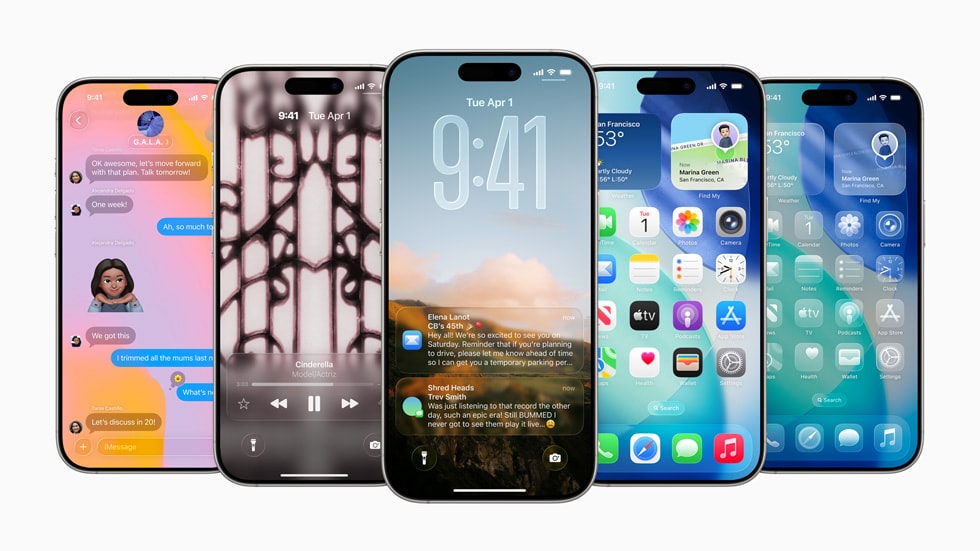
Liquid Glass Lock Screen Slider
The new lock screen Liquid Glass slider in iOS 26.2 lets you adjust how transparent the clock appears. You can move between frosted and clear looks without changing the font. It’s a simple tweak but adds an elegant personal touch.
Updated Sleep Score Metrics
The iOS 26.2 sleep score update improves how the Health app tracks rest. The top tier “Excellent” is gone, replaced by “Very High”. The new scale now reads:
- Very Low (0–40)
- Low (41–60)
- OK (61–80)
- High (81–95)
- Very High (96–100)
It’s a more accurate, data-driven way to understand your sleep quality.
AirPods Live Translation Expands to EU
The AirPods Live Translation feature in iOS 26.2 begins expanding to European users for testing. When paired with compatible AirPods, it offers near real-time translations while listening or speaking.
Reminders App Adds Alarms and Timers
The Reminders app alarms iOS 26.2 feature lets you set reminders that sound an alarm when due. You’ll see the alert on the lock screen with options to snooze or stop it. It’s a simple but useful addition for tasks you can’t afford to miss.
Podcasts App Gets Smart AI Features
The Podcasts app AI features iOS 26.2 include auto-generated chapters and tappable links inside show notes. You can skip between sections and access related content faster than before.
Other Refinements and Compatibility
Smaller updates worth noting:
- New quick-access tabs in the News app.
- Smarter password handling across apps and devices.
- The Freeform app gets a new option to add and format tables.
- Updated iOS 26.2 compatibility list covering iPhone 15, 16, and 17 series.
Who Can Install and How to Join the Beta?
If you want to install iOS 26.2 public beta, here’s how:
- Back up your iPhone.
- Visit the Apple Beta Software Program.
- Sign in with your Apple ID.
- Go to Settings > General > Software Update > Beta Updates > iOS 26.2 Public Beta.
Just remember: beta versions can act up, so if reliability’s your thing, it’s probably better to wait for the final Apple iOS 26.2 update.
Should You Install It or Wait?
If you love testing new features, go ahead and try it. This update brings noticeable iPhone iOS 26.2 changes and a nice layer of polish. But if you really need things to work right, waiting for the stable version is probably your best bet.
Wrap-Up and What’s Next
The iOS 26.2 beta’s first public drop shows Apple is still all about fine-tuning things. With stuff like the Liquid Glass lock screen and better sleep tracking, the software feels fresh but also actually useful. The full iOS 26.2 release date should land sometime later this year.
If you’re in India, you can already download the iOS 26.2 public beta India build through the Beta Program. Try it out, explore the changes, and share your thoughts below.