



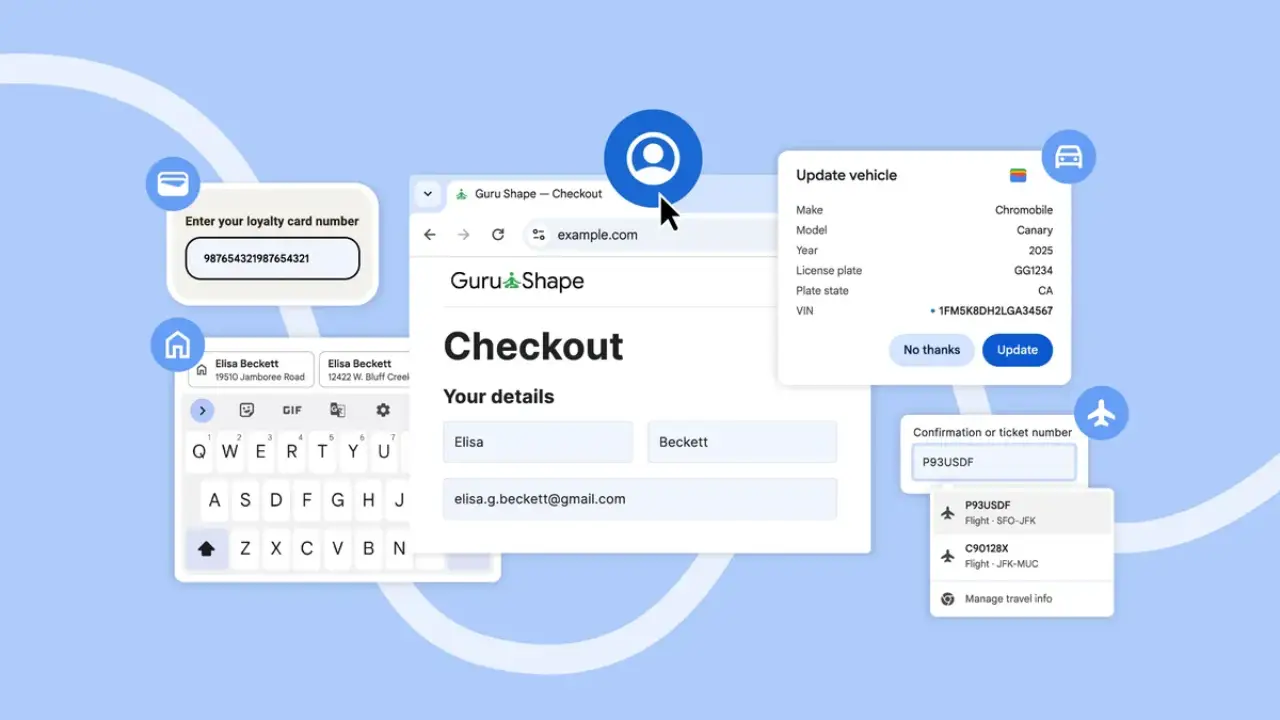
Fed up with entering the same information everywhere you go online? Chrome Autofill is here to rescue you. The December 2025 update connects directly to your Google Account and Google Wallet, so forms get filled lightning fast across all your devices.
Whether you are checking out, booking trips, or managing loyalty programs, it acts like a personal assistant that remembers everything and eliminates typing the same stuff over and over.
What’s Actually New in Chrome Autofill?
Chrome autofill was already helpful with basics like autofilling name, email, address, and cards, but the new upgrade adds depth and context. Once you’re signed into Chrome, you can let it instantly fill forms using:
- Saved addresses, like home or work addresses, autofill and are stored in your Google Account.
- Loyalty cards and membership IDs from Google Wallet.
- Autofill travel booking info from Google Wallet, such as flights or reservations.
- Passport and driver’s license numbers.
- Autofill vehicle info like VIN and license plate.
- International address autofill support, including improved formatting for global forms like Mexico and future support for Japanese phonetic names.
On Chrome autofill for Android, suggestions are now shown in a cleaner two-line interface above the keyboard so you can see more detail without guessing which entry is which.
Where Will You Feel the Biggest Difference?
The benefits are not speculation; they are solid enhancements that give back precious time:
- Faster online checkouts and bookings with fewer abandoned forms.
- Smoother travel tasks like flight bookings, hotel reservations, and car rentals.
- Instant rewards and membership entry with autofill handling your loyalty cards.
- Better consistency across devices: Chrome autofill desktop, Chrome autofill iOS, and Android work together as long as you’re signed into the same Google Account.
- More accurate address formatting globally.
In short, the upgrades lead to speedier checkouts and less frustration that makes people quit forms since everything works more intelligently now.
What Should You Set Up First?
To unlock the most advanced autofill features, check a few settings:
- Enable Enhanced Autofill.
- Get enhanced autofill running by visiting Settings → Autofill → Enhanced Autofill (you must verify security for protected info)
- Add useful items to Google Wallet, such as travel reservations, identification documents (passport, driver’s license), loyalty cards, and vehicle information.
- Sync Across All Devices by signing into Chrome everywhere so your data follows you.
- Double-check autofilled entries, especially for IDs or international forms, since not every site supports advanced fields yet.
Why Does This Matters?
Buying things online, organizing trips, and browsing different devices are standard habits for millions daily. Eliminating small interruptions adds up to genuine time saved in your schedule. Chrome is releasing these features around the world, and they will keep evolving with official guidance from Chrome for Developers.
What this really means is simple: autofill isn’t just convenience anymore. It’s becoming a smart workflow tool that anticipates what you need and cuts down repetitive typing.
Final Thoughts
If you use Chrome and you’re tired of retyping the same details, these upgrades are worth enabling right now. Sign In, activate enhanced autofill, load your essentials into Wallet, and let Google Chrome autofill handle the busywork.
Give it a try and see how much time you save the next time you check out, book a trip, or submit a form.