


Google is making its AI assistant a lot more useful on Android. The company has started rolling out Gemini task automation to the Samsung Galaxy S26 series through a recent beta update. This new Galaxy S26 AI feature is now appearing on devices and it changes how you interact with apps on your phone.
Most smartphone assistants stop after opening an app or setting a reminder. Google wants its Gemini AI assistant on Android to go further. Here’s the thing, this feature does not just launch an app and wait. It actually goes inside the app and completes the steps for you.
How Gemini Task Automation Works
Gemini task automation lets the AI assistant work directly inside supported apps on your device. It works exactly how you would want it to. After you enter a prompt, the phone gets to work. It opens the appropriate app in the background and begins handling the process.
Take ordering food, for example. Gemini starts the delivery app, browses the menu, picks the items you prefer, and puts them into the cart. No tapping through multiple screens. The whole thing takes seconds.
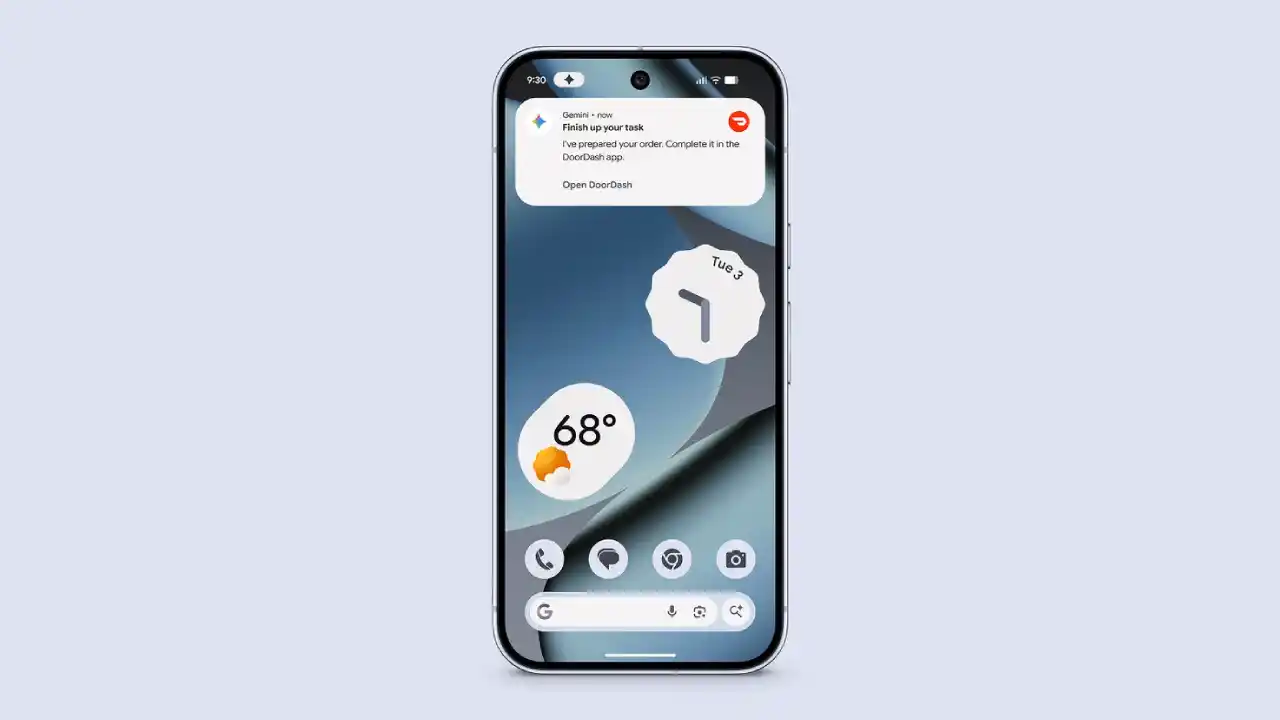
The phone stays fully usable while this activity happens. You can text, scroll, or check your email while Gemini handles everything in the background. Progress updates show up through notifications so you always know what is going on.
Here is the part that matters most. Gemini does not complete the final step on its own. It pauses for your review before any order is placed or the ride is confirmed. That final tap is always yours.
What Tasks Gemini Can Handle
During the beta phase, Gemini task automation focuses on everyday actions across delivery and transportation apps. The goal is simple. Fewer taps, less time spent navigating screens.
Here is what Gemini app automation can do right now:
- Ordering meals through food delivery platforms.
- Booking rides through ride-sharing apps.
- Enter pickup or drop-off locations automatically.
- Add products to a shopping cart without manual navigation.
These are tasks many people handle several times every week. Automating even a small part of them helps save valuable time.
Supported Apps in the Beta
The Samsung Galaxy S26 Gemini feature currently supports a focused set of popular apps. All of them fall under food delivery or ridesharing:
- Uber
- Lyft
- Uber Eats
- Grubhub
- DoorDash
- Starbucks
Google plans to expand the list as the system develops further. More app categories will likely follow as testing progresses.
Samsung Galaxy S26 Beta Rollout and Availability
The Samsung Galaxy S26 Gemini feature rollout is live through a beta update. It was announced at Samsung’s flagship launch earlier this year but did not show up on early units. It is now beginning to appear on devices.
For now, the Gemini automation rollout covers only the United States and South Korea. Wider access may come later depending on how testing progresses. Google Pixel 10 users are also on the list for the Google Pixel 10 Gemini feature. However, that rollout has not started yet. Samsung Galaxy S26 is where the real-world testing begins.
Why This Update Matters
Let’s break it down a bit. Phone assistants have existed for a long time, yet many still respond only to simple instructions. The Samsung Galaxy S26 with Google AI moves in a different direction. Gemini task automation acts on your behalf across multiple steps inside an app, which is a meaningful shift in how AI fits into daily phone use.
For people who order food regularly, book rides often, or just want to spend less time navigating apps, this Google Gemini app automation has practical value. It marks one of the most useful Android AI assistant additions in 2026.
Final Thoughts
Google continues building out Gemini across Android, and the Samsung Galaxy S26 AI update is the first place where this plays out in real usage. If you own a Galaxy S26, keep an eye on your updates. This one is worth trying when Gemini task automation arrives on your device.