

Google AI Mode Personal Intelligence is making search more personal. It changes the way Google understands you. With your permission, it can now use your Gmail and Google Photos to give answers that match your life.
Picture asking Google a question and getting an answer that remembers your plans, knows what you’ve bought before, or even suggests your favorite spots. That’s exactly what Google AI Mode Personal Intelligence does, making it easier, quicker, and truly personal to find the answers you need.
What Is Personal Intelligence in Google AI Mode?
Google’s Personal Intelligence is an experimental feature in Google Labs. It only works if you opt in, so you stay in control. When you turn it on, AI Mode can use your Gmail and Google Photos to provide search results that fit your life and routines. Unlike normal search, it understands what you like and what matters to you.
How Google AI Mode Personal Intelligence Works
Here’s how Personal Intelligence in Google AI Mode works:
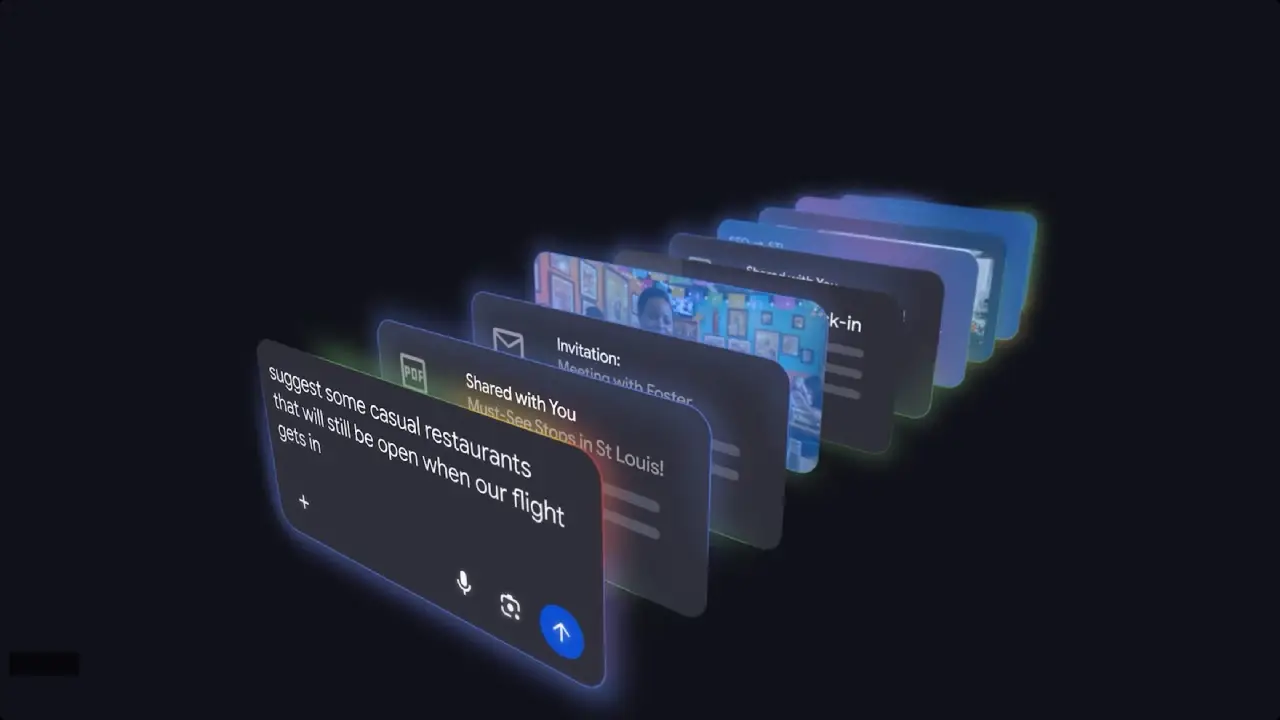
- Gmail Integration: Your emails, such as receipts or travel bookings, help AI Mode give smarter, context-aware suggestions.
- Google Photos Integration: Your pictures help the AI notice where you’ve been, the moments you’ve captured, and your routines.
- Powered by Gemini 3: Google’s AI gets what you mean and gives answers that actually help.
The result? Your search answers now feel personal because Google keeps track of your past activities and patterns.
How to Enable Personal Intelligence in Google Search
If you want to know how to enable Google AI Mode, this feature is available to Google AI Pro and AI Ultra users in the U.S. It works only with personal Google accounts in English. Business, Education, and Enterprise accounts cannot use it yet.
The option to connect AI Mode with Gmail and Google Photos is being added as an experimental feature in Google Labs. You must turn it on in Labs and choose which data you want Google to use.
To activate Personal Intelligence in AI Mode:
- Open Google Search.
- Tap your profile icon.
- Go to Search Personalization.
- Select Connected Content Apps.
- Connect Workspace and Google Photos.
After you connect it, AI Mode uses your data just for that search to give better answers.
What Personalized Results Look Like
Google has shared a few real examples that show the power of this feature:
Travel Planning: Thinking about your next trip? AI Mode analyzes your emails and photos to suggest items that match your style.
Shopping Recommendations: See suggestions for products or looks informed by what you’ve bought or captured in photos.
Creative Queries: Be imaginative and ask, “If my life were a movie, what genre would it be?” and get a fun personal answer.
Think of it as a Google Search helper that pays attention to your habits and interests and gives advice you’ll actually use.
How Google AI Mode Handles Privacy and User Control
Google emphasizes that users remain in control:
- You decide what data to connect.
- You can turn off access to Gmail or Photos anytime you want.
- AI Mode does not train its core models on your personal content; it uses it only for generating relevant search results.
So, your data stays private and is only used to improve your search results.
Why Google Personal Intelligence Matters
This is more than just an update. Personal Intelligence helps Google Search adapt to your routines and interests. By looking at your Gmail and Photos, it delivers answers that match your life, routines, and preferences, making search easier, faster, and smarter.
Final Thoughts
This rollout of Personal Intelligence in Google AI Mode gives eligible users an early look at how search is evolving. By using your Gmail, Photos, and preferences, it delivers answers that feel personal, relevant, and aligned with your needs.